
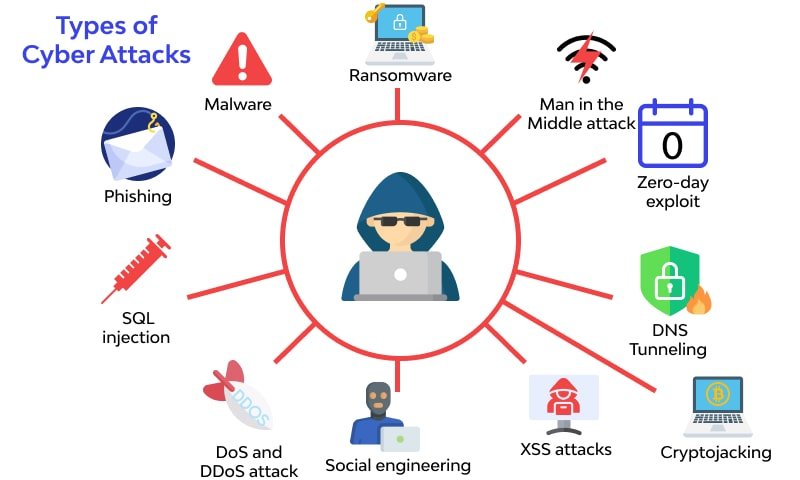
In 2025, cyber threats are more sophisticated and more frequent than ever. From ransomware and phishing to zero-day exploits and insider breaches, businesses — big and small — are targets.
The good news? You don’t need a massive security budget to defend your company.
Here are 10 simple, practical ways to protect your business from cyber attacks — starting today.
1. 🔐 Use Strong Passwords and Multi-Factor Authentication (MFA)
Weak passwords are still one of the biggest entry points for hackers. Enforce the use of:
- Complex passwords (12+ characters with numbers/symbols)
- Password managers for staff
- MFA for all logins, especially for cloud services and admin accounts
2. 🛡️ Keep Software and Systems Updated
Outdated systems are a goldmine for cybercriminals. Always:
- Enable automatic updates on operating systems, browsers, and antivirus software
- Regularly update plugins, CMS platforms (like WordPress), and third-party apps
3. 👨🏫 Train Employees on Cyber Hygiene
Your employees are your first line of defense — or your biggest vulnerability.
Conduct regular training on:
- How to recognize phishing emails
- Safe file sharing and browsing
- Reporting suspicious activity
Tip: Simulate phishing attacks quarterly to assess staff readiness.
4. 💻 Install Antivirus and Anti-Malware Tools
Use reliable cybersecurity software to detect, quarantine, and remove threats. Look for tools that provide:
- Real-time protection
- Automatic scanning
- Email and web protection
5. 🧱 Use a Firewall and Secure Your Wi-Fi
Set up a business-grade firewall to monitor inbound and outbound traffic. Also:
- Secure Wi-Fi with WPA3 encryption
- Hide SSIDs and limit guest access
6. 📁 Back Up Your Data Regularly
Backups are your safety net during ransomware or hardware failure. Follow the 3-2-1 backup rule:
- 3 copies of data
- 2 different storage types
- 1 offsite or cloud-based
Test restore procedures regularly to ensure reliability.
7. 📬 Be Wary of Email Attachments and Links
Train teams to avoid clicking unknown links or downloading suspicious files. Use email filtering systems to:
- Block spam and malicious links
- Scan attachments before download
8. 👥 Limit User Access and Permissions
Apply the Principle of Least Privilege (PoLP) — users should only access what they absolutely need.
- Set user roles with restricted permissions
- Disable inactive accounts immediately
- Monitor login and access logs regularly
9. ☁️ Secure Cloud Accounts and Tools
If you use platforms like Google Workspace, Microsoft 365, or cloud storage:
- Activate MFA
- Encrypt sensitive files
- Restrict sharing permissions
- Monitor access via activity logs
10. 🚨 Create an Incident Response Plan
What happens if you do get hacked?
Having a plan reduces panic and accelerates recovery. Your plan should include:
- Roles and responsibilities
- Notification steps (internal + legal + customer)
- Data isolation and system restoration procedures
- Communication templates for customers or stakeholders
🧠 Bonus Tip: Perform Regular Security Audits
Partner with cybersecurity experts (like C5K IT) to run penetration tests, vulnerability scans, and compliance checks.
Why? Threats evolve — your defenses should too.
🏁 Final Thoughts
Cybersecurity isn’t just IT’s job — it’s a company-wide responsibility. Taking small, proactive steps today can save your business from big problems tomorrow.
At C5K IT, we provide:
- Cybersecurity audits
- Firewall & endpoint security
- Employee training
- Real-time monitoring
- Cloud security solutions
👉 Contact us now to secure your business and sleep better at night.






Leave a Reply